Most Popular
 Get Up To 30% Off
3,527 Businesses Picked This Provider Today

Last updated:
Our top-rated partners offer VoIP solutions that increase efficiency and capabilities for your business. Compare & Choose the one that best suits your needs.

Award-winning VoIP provider
Visit Site
Voice, video & text collab from anywhere
Visit Site
Toll-free numbers + 50+ business features
Visit SiteMost Popular3,527 Businesses Picked This Provider Today
3,527 Businesses Picked This Provider Today
 What is SIP Trunking?
SIP (Session Initiation Protocol) trunking is a method of sending voice and other unified communications services over the internet. It replaces traditional phone lines and provides a more flexible, scalable, and cost-effective way to manage communications. By connecting a business's existing PBX (Private Branch Exchange) systems to the internet, SIP trunking enables the transmission of voice, video, and messaging services over a single IP network.
 Benefits of SIP Trunking
For small business owners, SIP trunking offers several compelling advantages:
 SIP Trunking vs. VoIP
While SIP trunking and VoIP (Voice over Internet Protocol) are often used interchangeably, they are not the same. VoIP is a broad term that refers to any phone call made over the internet, whereas SIP trunking is a specific method of achieving VoIP. Here are the key differences:
 Implementation Steps
Implementing SIP trunking involves several critical steps to ensure a smooth transition and optimal performance. Start by assessing your current infrastructure to ensure your PBX system and internet connection are compatible with SIP trunking. Develop a detailed plan for the transition, including timelines, resources needed, and potential risks, and communicate this plan with all stakeholders.
Choose a SIP trunking provider that meets your business needs based on the criteria outlined earlier. Work with your provider to configure your PBX system and network for SIP trunking, which may involve setting up firewalls, adjusting network settings, and installing new hardware or software. Conduct thorough testing to ensure the system is working correctly, making test calls, checking call quality, and verifying all features are functioning.
Provide training for employees on how to use the new system, ensuring they understand any new features and how to report issues. Finally, continuously monitor the system for any issues and work with your provider to address them promptly. Regular maintenance will ensure ongoing performance and reliability.
 Potential Challenges
While SIP trunking offers many benefits, businesses may encounter challenges during implementation and operation. Bandwidth limitations can lead to poor call quality, so ensure your internet connection can handle the increased load or consider upgrading your bandwidth. Network security is another concern; SIP trunking can expose your network to security risks, so implement robust security measures such as firewalls, encryption, and intrusion detection systems.
Compatibility issues may arise with older PBX systems. In such cases, consider upgrading your PBX or using a gateway device to bridge compatibility gaps. Provider reliability is crucial; if your provider experiences outages, your communications could be disrupted, so choose a provider with strong reliability and failover options. Lastly, network congestion can affect call quality. Implement Quality of Service (QoS) settings to prioritize voice traffic over other types of data on your network.
 How to Select the Right Provider
Choosing the right SIP trunking provider is crucial for ensuring reliable and high-quality communications. Begin by evaluating service quality; look for providers with a strong reputation for call quality and reliability, and check reviews and references from other businesses. Pricing is another important factor; compare pricing plans to ensure there are no hidden fees and consider both upfront costs and long-term savings. Scalability is essential, so ensure the provider can accommodate your business's growth and changing needs with flexible plans.
Support should be a priority as well; select a provider that offers 24/7 support and has a responsive service team. Evaluate additional features such as disaster recovery, call analytics, and integration with other business tools, ensuring they align with your business needs. Finally, confirm that the provider has robust security measures in place to protect your communications from potential threats.

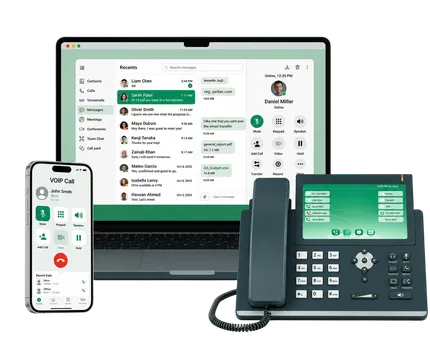
RingCentral is a leading unified communications and VoIP provider offering business phone, video meetings, team messaging, and contact center tools in one cloud platform. It's designed for companies that want scalable, feature-rich communications without managing on-premises hardware. Core features include unlimited calling in the U.S. and Canada, IVR/auto attendants, call queues, AI-powered call transcripts and summaries, and integrations with hundreds of business apps.
Pros:
Cons:
Best for: Businesses that prioritize reliability, collaboration, and advanced call handling, and are willing to pay a bit more for a full-featured, scalable platform.

Vonage is a long-standing VoIP and unified communications provider offering business phone, video meetings, messaging, and contact center solutions in the cloud. Its Vonage Business Communications (VBC) platform focuses on flexibility and customization, with 40+ voice and UC features, mobile and desktop apps, and strong integrations. It also offers communications APIs and a full contact center stack for companies that want to embed calling, SMS, and video into their own apps.
Pros:
Cons:
Best for: Small to mid-sized businesses and growing companies that want a customizable, API-friendly communications platform with room to expand into contact center and omnichannel experiences over time.

Ooma is a cloud-based VoIP and business phone provider built primarily for small and traditional brick-and-mortar businesses moving off landlines. Its Ooma Office platform focuses on simplicity and value: contract-free plans starting around $19.95 per user per month, 100+ built-in features, and plug-and-play hardware plus mobile and desktop apps. Core tools include a virtual receptionist, ring groups, digital/analog fax, music on hold, and unlimited calling in the U.S. and Canada (and often Mexico/Puerto Rico, depending on plan).
Pros:
Cons:
Best for: Cost-conscious small and midsize businesses, or traditional offices transitioning from landlines to VoIP, that want an easy, reliable system with strong core calling features rather than deep integrations or enterprise-grade analytics.
Business VoIP (Voice over Internet Protocol) is a phone service that uses your internet connection instead of traditional phone lines. It lets you make and receive calls, often with advanced features like call routing, voicemail-to-email, and more.
VoIP converts your voice into digital data and sends it over the internet to the other party, then converts it back to audio. All you need is a stable internet connection and compatible devices (IP phones, softphones, or mobile apps).
Yes - when paired with a strong internet connection and quality provider. Many business VoIP services offer uptime guarantees, call redundancy, and automatic failover to keep you reachable.
With enough bandwidth and a good network, VoIP call quality is equal to or better than landlines, often supporting HD voice for clearer conversations.
In most cases, yes. This process is called number porting, and your provider will help transfer your existing numbers to the VoIP service.
Typically, yes. VoIP reduces line rental costs, long-distance charges, and on-site hardware needs. Most providers offer flat-rate plans and bundled features.
Absolutely. VoIP is ideal for remote and hybrid teams. Staff can make and receive business calls from anywhere using softphones or mobile apps, while still showing your business caller ID.
Yes, when your provider uses encryption, secure data centers, and strong authentication. You should also secure your own network with firewalls and strong passwords.
As a general rule, plan for about 100 Kbps (0.1 Mbps) of upload and download per simultaneous call, plus extra for other internet use.
Most modern VoIP systems integrate with popular CRMs and business apps, enabling click-to-call, call pop-ups, and automatic logging of call activity.
VoIP with voice, video & text from $13.99/line/mo